MCP Marketplace
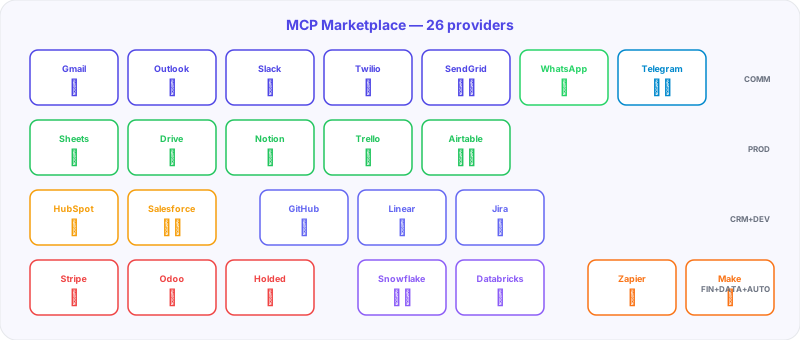
BiVelio offers an integration marketplace based on the Model Context Protocol (MCP) with 26 providers in 8 categories. MCP integrations allow the platform and AI agents to interact with external services in a standardized and secure way.
What is MCP
The Model Context Protocol is a standard that allows AI agents to connect with tools and external services in a structured way. In BiVelio, each MCP integration exposes a set of actions that agents and workflows can use.
Integration catalog
Communication (7 providers)
| Provider | Capabilities |
|---|---|
| Gmail | Read, send, classify and search emails |
| Outlook | Microsoft 365 integration for corporate email |
| Slack | Send messages, read channels, notifications |
| Twilio | SMS, voice calls and phone verification |
| SendGrid | Bulk transactional and marketing email sending |
| Messages via WhatsApp Business API (Meta) | |
| Telegram | Messages and commands via Bot API |
Productivity (5 providers)
| Provider | Capabilities |
|---|---|
| Google Sheets | Read and write spreadsheets |
| Google Drive | Cloud file and folder management |
| Notion | Read and create pages and databases |
| Trello | Card, list and board management |
| Airtable | Operations on spreadsheet-type databases |
CRM (2 providers)
| Provider | Capabilities |
|---|---|
| HubSpot | Contact, company and deal synchronization |
| Salesforce | Standard and custom object integration |
Development (3 providers)
| Provider | Capabilities |
|---|---|
| GitHub | Issues, pull requests, repositories |
| Linear | Issue and engineering project management |
| Jira | Atlassian tickets, sprints and backlogs |
Finance (3 providers)
| Provider | Capabilities |
|---|---|
| Stripe | Payments, subscriptions, invoices and customers |
| Odoo | ERP: accounting, inventory, purchasing |
| Holded | Invoicing, accounting and business management |
Data (2 providers)
| Provider | Capabilities |
|---|---|
| Snowflake | Data warehouse queries, data extraction |
| Databricks | Analytics, ML and lakehouse queries |
Automation (2 providers)
| Provider | Capabilities |
|---|---|
| Zapier | Connect with 5000+ apps via triggers and actions |
| Make | Visual automation scenarios with modules |
Each MCP integration includes a validator that verifies the connection and permissions before activation. Validator messages are displayed with clear instructions for resolving any configuration issues.
How an MCP integration works
Activation
- Go to Settings > Integrations > MCP Marketplace
- Select the provider you want to connect
- Configure credentials (API key, OAuth, etc.)
- The validator automatically verifies the connection
- The integration becomes available for agents and workflows
Use in AI agents
Agents can use MCP integrations as tools:
Agent "Gmail Ops" → uses MCP Gmail → reads emails → classifies → responds
Agent "Lead Qualifier" → uses MCP HubSpot → evaluates lead → updates score
Use in workflows
Workflow nodes can invoke MCP actions:
Notification Node → MCP Slack → sends message to #alerts channel
Agent Node → MCP Google Sheets → registers data in spreadsheet
Integration security
- Credentials stored encrypted (AES-256-GCM)
- Each integration operates with minimum required permissions
- OAuth tokens are automatically renewed
- Multi-tenant isolation: one workspace’s integrations are not accessible from another
- Log of all operations performed via MCP
Last updated on